Business portrait
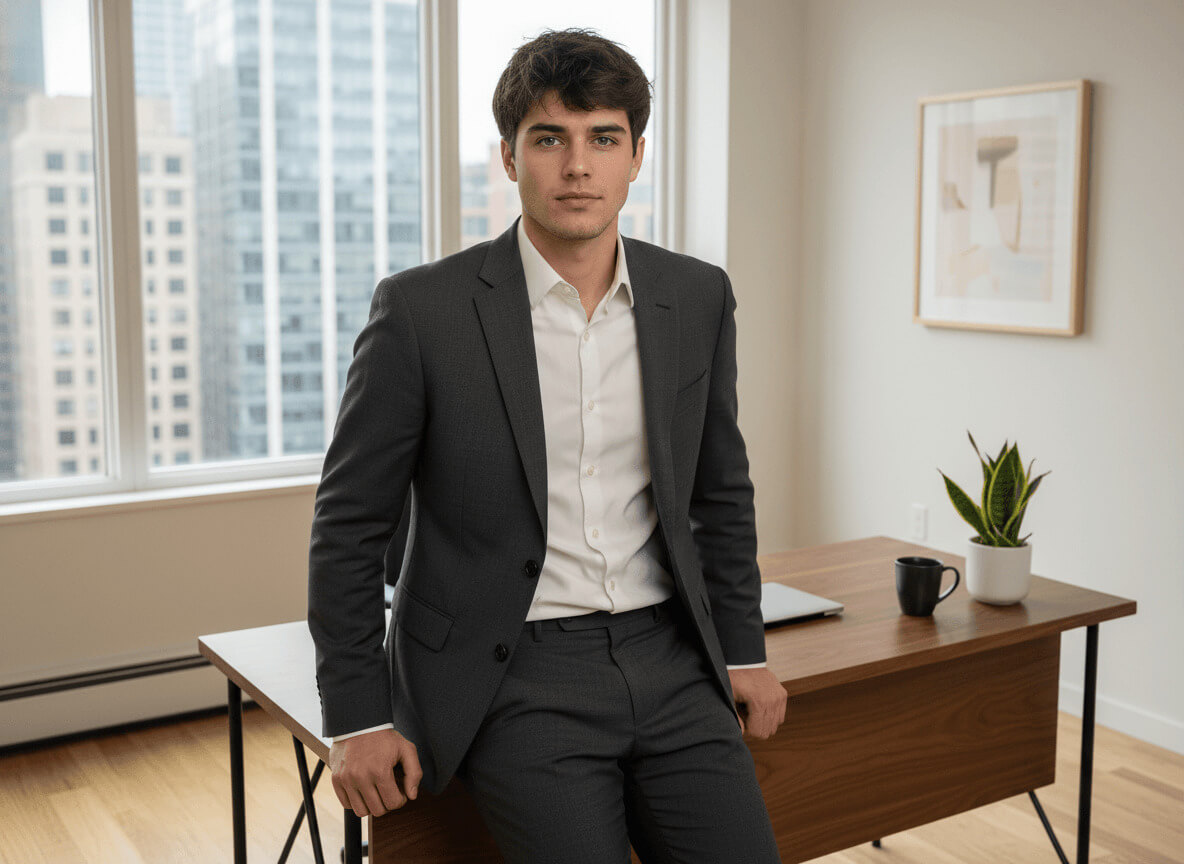
A professional business-style portrait with an office backdrop and a confident expression.
Before and after
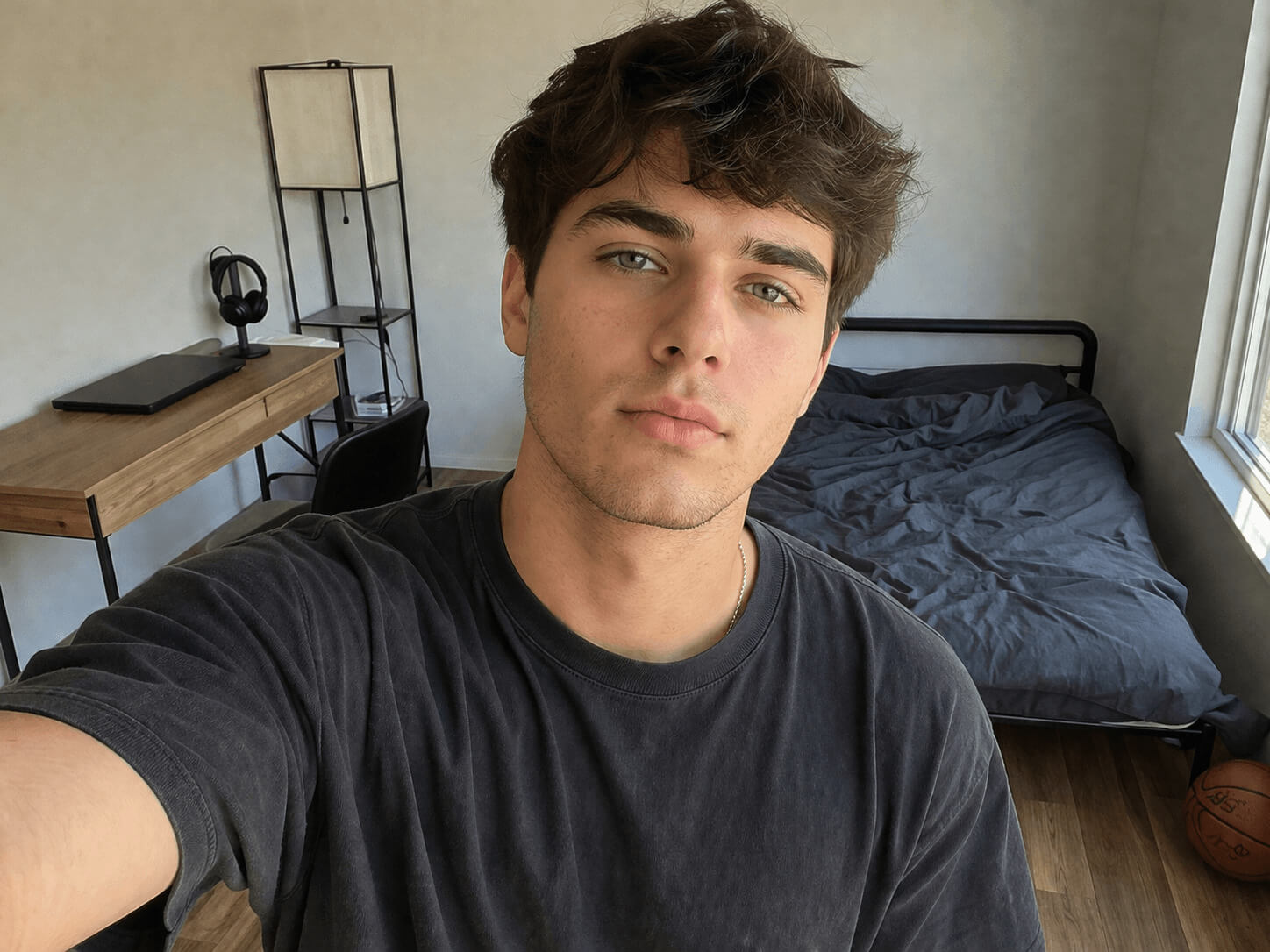
When a business photo for dating works
A business dating photo signals "I know what I want and I have my life together." On Tinder, Bumble and Hinge it consistently holds a place in the top three: a sharp outfit and a calm gaze read as a sign of stability, even at a glance.
The style especially helps when your gallery already has a few relaxed shots and you're missing a "grown-up" frame. Our AI business photo generator takes your selfies and in a couple of minutes builds a portfolio that looks like a studio shoot — a neural photoshoot without the photographer or the office rental.
What you'll get on your photo
A modern office on the upper floor of a glass business tower: panoramic windows on the left, warm oak floors, a walnut desk with a closed laptop on top. No people in the background, no logos, no readable text — just a softly blurred city skyline outside the window.
You're wearing a charcoal grey wool two-piece suit: a notch-lapel jacket over a white cotton shirt with the top button undone. No tie, no jewelry, no watch — a clean silhouette beats any accessory. The skin keeps its natural texture: this AI business portrait doesn't turn faces into plastic masks.
Lighting is soft daylight from the window, around ten in the morning. The pose and expression shift from frame to frame: a calm smile with direct eye contact in one, a thoughtful turn toward the window in another, a half-smile with a slight head tilt in a third. The quality matches editorial photography — a full headshot from a selfie.
How the business photo generator works
To generate a quality business photo, upload 3–5 front-facing selfies, choose how many shots you want — and wait a couple of minutes. From there the AI generator takes over: it analyzes your facial features, places them into the office scene with the suit, and builds the portfolio in three steps.
- Upload up to 5 front-facing selfies in daylight — face fully in frame, no glasses or caps. The clearer your features, the more accurately the AI keeps your likeness.
- Choose how many photos you want in the style — starting from 1 shot. Each business shot costs 20 credits, and the total pack price is calculated automatically.
- Wait a couple of minutes. Generation usually takes 2–4 minutes; during peak hours, up to 10. Once your pack is ready, you'll get a notification and can download any photo at full resolution.
Where to use it: Tinder, LinkedIn, your profile
Main photo on Tinder, Hinge or Bumble — especially if you're looking for a serious relationship rather than a one-night meetup. It also works well as a second or third frame after a livelier selfie: the contrast between the relaxed "you" and the put-together "you" reads as depth.
Beyond dating, this AI suit portrait moves easily to LinkedIn, a Telegram avatar or the cover of a personal site. A LinkedIn-ready photo helps when you suddenly need to refresh your profile before an interview. The same generation also covers a resume photo — one pack, two or three scenarios.
Selfie tips for the best result
The quality of your input decides the quality of the final frame. Shots in dim light or under a yellow lamp throw off the model: the face "drifts," skin tones turn yellow, and the AI starts inventing features.
- 3–5 front-facing selfies, face in focus and fully in frame.
- Daylight from a window or soft shade outside — no direct sun on your face.
- No dark glasses, caps, masks or thick scarves.
- Different angles: straight-on, a slight head turn, a touch from above and a touch from below.
- A clean or at least calm background — no other people or bright text.
Related styles
If a full business suit feels too formal, try a casual portrait or a cafe photo — the tone is softer and the gaze livelier. For a strictly minimal background without office props, go with the studio portrait: a clean AI headshot on a neutral backdrop.