Night city
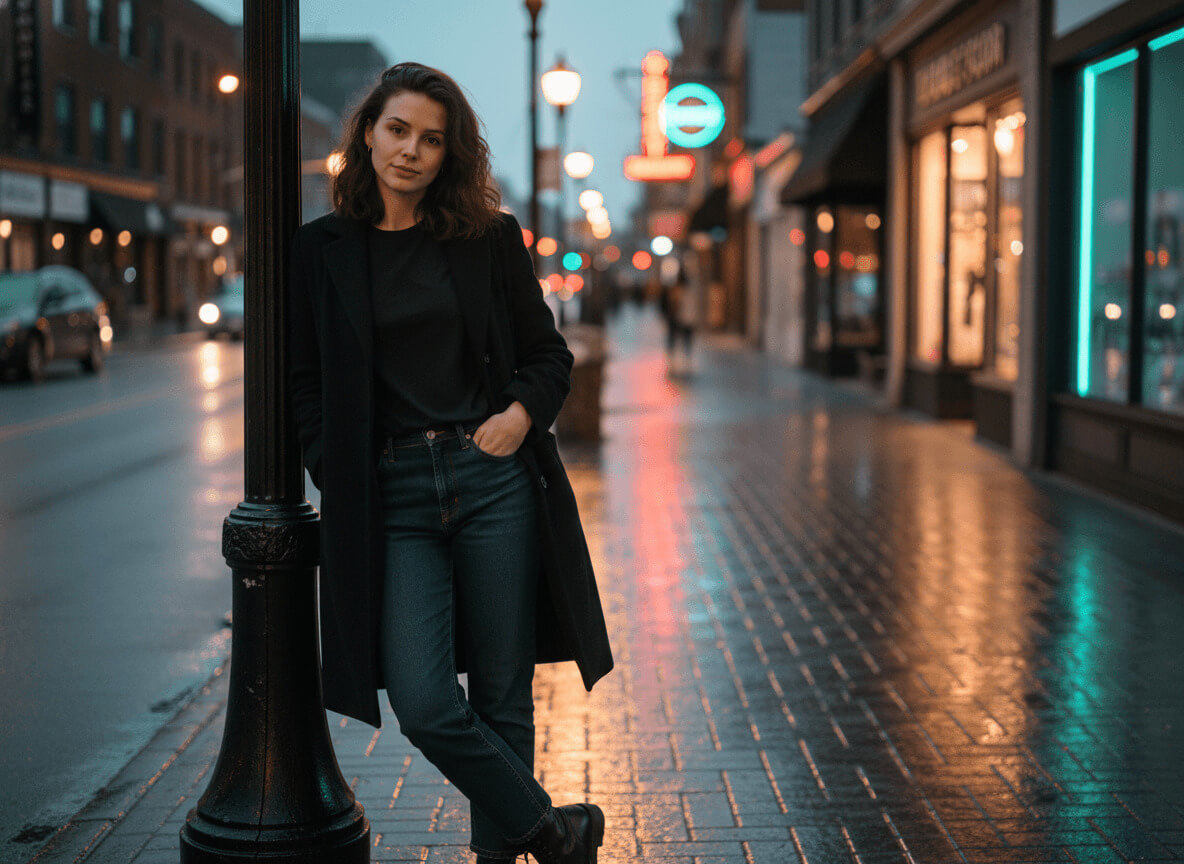
A cinematic portrait on an evening street, with warm neon light.
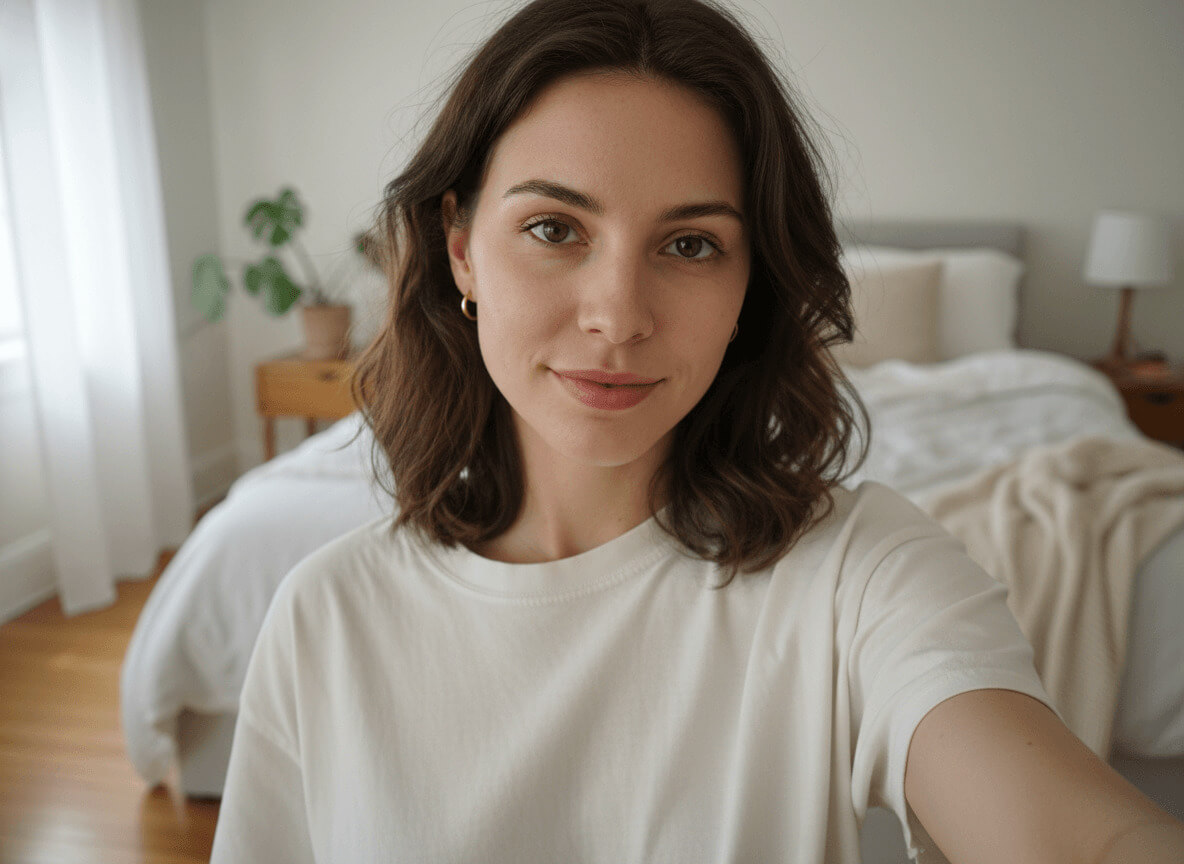
Before and after
When a night-city photo for dating works
A night-city dating photo is about mood, style and the rhythm of a big city. A shot with warm storefront light, neon glints on wet asphalt and a calm gaze immediately stands out in the Tinder, Bumble or Hinge feed: people unconsciously read it as "someone who knows how to spend an evening."
The style especially helps when your gallery has daytime and active shots but lacks that "premium evening" feel. Our AI night-city photo generator takes your selfies and in a couple of minutes builds a portfolio that looks like a film still — a neural photoshoot without the photographer, the location scout or waiting for the right weather.
What you'll get on your photo
A quiet street in a modern downtown, late evening about thirty minutes after a brief rain. Behind you — low buildings with warm storefront windows, a few neon signs in muted reds, ambers and teals, a cast-iron lamppost with a warm tungsten bulb. Wet asphalt stretches the colored reflections into long streaks; distant headlights and brake lights turn into round bokeh. No people nearby, no readable text, no recognizable brands or landmarks.
You're wearing a mid-weight black wool overcoat with a straight cut, mid-thigh length, worn open over a simple black crew-neck t-shirt, dark indigo straight jeans and clean black low-heel leather boots. No scarf, no hat, no jewelry — the silhouette holds on its own. The skin keeps its natural texture: this AI night-city photo doesn't turn faces into plastic masks or wash them in purple synthwave light.
Lighting is cinematic and mixed: a warm key from the storefront on the left, a cool teal rim on the right, a soft amber bounce from the wet asphalt below. The classic teal-and-orange contrast is there, but without theatricality. The pose and expression shift from frame to frame: a walk past a window in one, a calm shot under the lamppost in another, a close-up with neon catchlights in the eyes in a third.
How the night-city photo generator works
To generate a quality night-city photo, upload 3–5 front-facing selfies, choose how many shots you want — and wait a couple of minutes. From there the AI generator takes over: it analyzes your facial features, places them into the evening downtown scene, and builds the portfolio in three steps.
- Upload up to 5 front-facing selfies in daylight — face fully in frame, no glasses or caps. The clearer your features, the more accurately the AI keeps your likeness even under dramatic colored light.
- Choose how many photos you want in the style — starting from 1 shot. Each night-city shot costs 20 credits, and the total pack price is calculated automatically.
- Wait a couple of minutes. Generation usually takes 2–4 minutes; during peak hours, up to 10. Once your pack is ready, you'll get a notification and can download any photo at full resolution.
Where to use it: Tinder, Instagram, social media
A main or second photo on Tinder, Bumble and Hinge — especially if you want to position yourself as someone "of the city" and don't want to rely only on daytime selfies. An AI city portrait works as a contrast to a relaxed daytime shot: it reads as range, not the same look in every slot.
Beyond dating, this AI night-city photo lands well on Instagram, Spotify covers, Telegram avatars and private premium channels. It's a neon-lit shot that doesn't look posed — just an ordinary evening walk, with the quality of an editorial spread.
Selfie tips for the best result
The quality of your input decides the quality of the final frame, especially under complex colored light. Dark or yellow-toned selfies throw off the model: the face "drifts," and the AI starts inventing features under neon instead of preserving them.
- 3–5 front-facing selfies, face in focus and fully in frame.
- Daylight from a window or soft shade outside — no direct sun.
- No dark glasses, caps, masks or thick scarves.
- Different angles: straight-on, a slight head turn, a touch from above and a touch from below.
- A clean background, no other people or bright text.
Related styles
If the night city feels too dark, try the winter-city portrait with cool light and snow, or an evening shot in a restaurant with warm candlelight. For a "city + status" premium combo, add the business portrait — two scenarios cover both a serious LinkedIn profile and a striking main Tinder shot.