Winter city
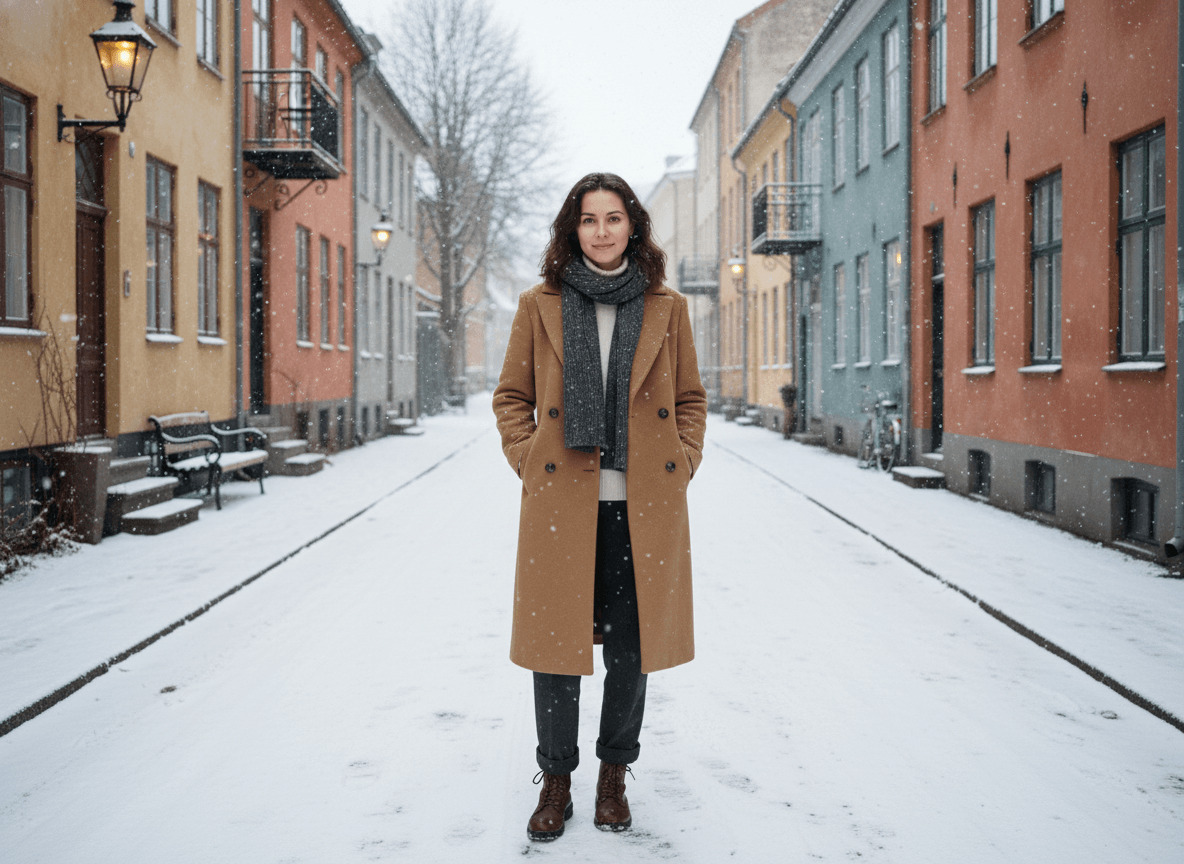
An atmospheric portrait on a quiet snowy street, with the warm glow of streetlamps.
Before and after
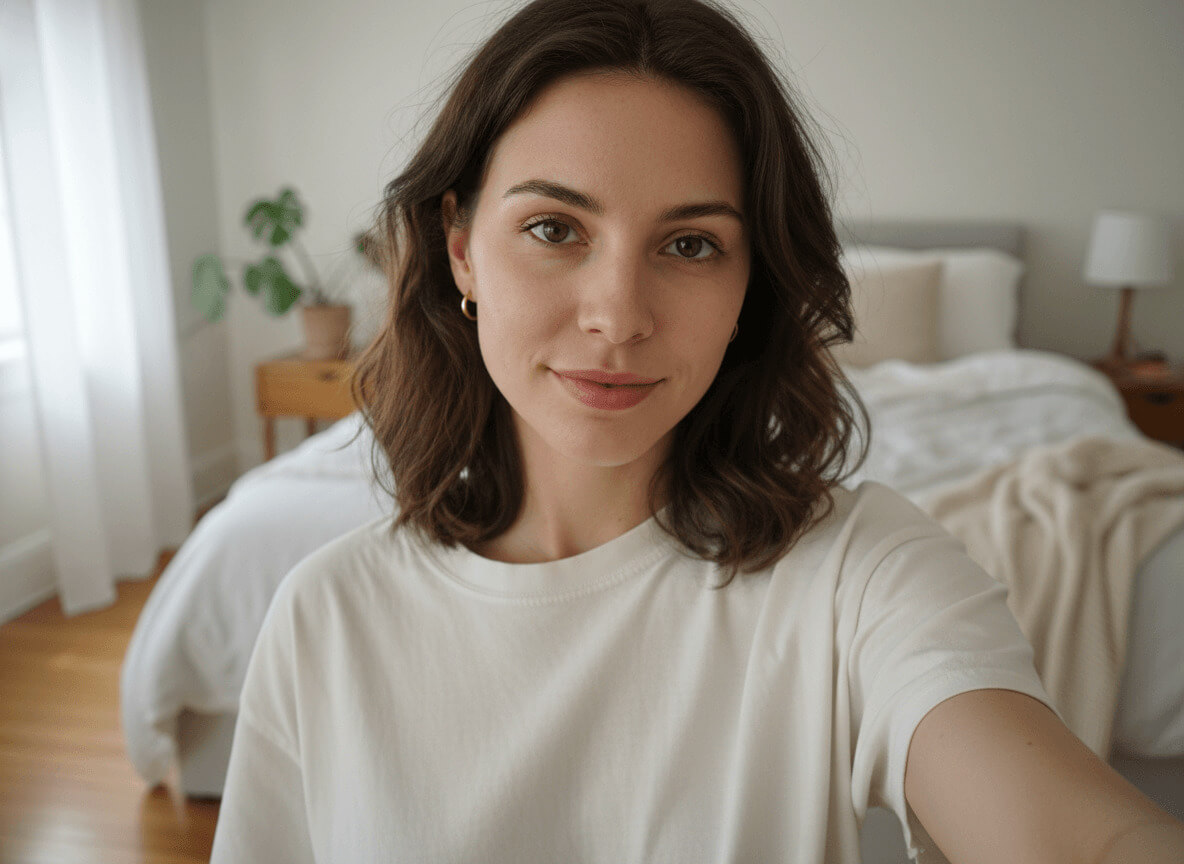
When a winter city photo for dating works
A winter dating photo is an atmospheric shot that immediately stands out in your gallery: snow, warm windows, streetlamps, breath in cold air. On Tinder, Bumble and Hinge such a portrait works as a "second face" — after an energetic main photo, it adds depth and seasonal liveliness.
The style especially helps in the cold half of the year: while competitors are still using summer beach shots, you have a fresh winter look in your gallery. Our AI winter city photo generator takes your selfies and in a couple of minutes builds a portfolio on a quiet street in an old European city — a neural photoshoot without the freezing temperatures, the wardrobe changes or a photographer in mittens.
What you'll get on your photo
A quiet residential street in the old part of a northern European city, mid winter day. On the cobblestones — a thin even layer of fresh snow with a few footprints, with sparse large snowflakes softly falling. Along the sides — historic three-to-four-story facades in muted ochre, deep terracotta and dusty teal, black wrought-iron balconies, warm tungsten streetlamps just starting to glow. In the distance, the street fades gently into mist. No recognizable landmarks, no Christmas decorations or garlands — just quiet northern stillness.
You're wearing a warm camel wool overcoat with a straight cut, mid-calf length, double-breasted, with the collar turned up. Underneath — a white merino turtleneck. Below — dark grey wool straight-cut pants and dark brown low-heel leather boots (visible only in full-length crops). Around the neck — a chunky charcoal grey knit scarf, wrapped once. Hair lightly tousled by wind, with snowflakes catching in it. On cheeks, nose and ear lobes — a soft pink flush from the cold. No hat, no gloves, no jewelry — a clean silhouette works stronger.
Lighting is soft diffused light from a pearly grey sky, plus a warm accent from streetlamps and lit windows. The pose and expression shift from frame to frame: walking down the street with hands in pockets in one, pausing under a streetlamp in another, adjusting the scarf in a third, exhaling steam into the cold air in a fourth. Quality matches Kinfolk editorial shoots or seasonal Aesop campaigns.
How the winter photo generator works
To generate a quality winter photo, upload 3–5 front-facing selfies, choose how many shots you want — and wait a couple of minutes. From there the AI generator takes over: it analyzes your facial features, places them in the winter city under soft snowfall, and builds the portfolio in three steps.
- Upload up to 5 front-facing selfies in daylight — face fully in frame, no glasses or caps. The clearer your features, the more accurately the AI keeps your likeness.
- Choose how many photos you want in the style — starting from 1 shot. Each winter shot costs 20 credits, and the total pack price is calculated automatically.
- Wait a couple of minutes. Generation usually takes 2–4 minutes; during peak hours, up to 10. Once your pack is ready, you'll get a notification and can download any photo at full resolution.
Where to use it
On Tinder, Bumble and Hinge a winter shot is ideal as a second frame after the main one — it expands your image and works as a seasonal gallery refresh. It resonates strongly with audiences who appreciate atmosphere and the romance of northern cities: this portrait reads as "someone you'd enjoy walking with in winter."
On Instagram it lands well in posts about travel, walks and a winter mood. It's also a good fit for New Year stories without holiday clichés — there are no Christmas trees, garlands or Santa here, just a quiet northern street. For LinkedIn and resumes the format is too atmospheric — there it's better to take the studio portrait.
Selfie tips for the best result
The quality of your input decides the quality of the final frame. Shots in dim light or under a yellow lamp throw off the model: the face "drifts," skin tones turn yellow, and the AI starts inventing features.
- 3–5 front-facing selfies, face in focus and fully in frame.
- Daylight from a window or soft shade outside — no direct sun on your face.
- No dark glasses, caps, masks or thick scarves.
- Different angles: straight-on, a slight head turn, a touch from above and a touch from below.
- A clean or at least calm background — no other people or bright text.
Related styles
If you want an urban atmosphere without snow, take the night-city photo — neon, storefronts and warm night light. For wider landscapes, go with the outdoor portrait: mountains, forest and soft sunset instead of city facades. And if you need a travel shot with architecture, take the travel photo: a different city, different streets, the same atmospheric tone.